To play







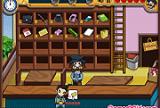
Kitty Lunchbox turns the school cafeteria into your personal kitchen. Help Hello Kitty prepare delicious lunches for her classmates — choosing ingredients, assembling meals, and serving them before the lunch bell rings. Every decision matters: pick the wrong combination and hungry students leave disappointed.
How to Play Kitty Lunchbox
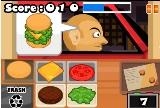
Use your mouse to interact with every element on screen. Click on food items to pick them up, drag them to the tray, and follow the on-screen recipe hints to build each lunch correctly. Time is limited, so stay focused and work methodically. Finishing all orders without mistakes earns you a perfect score.
Meals, Menus, and Hello Kitty Style
Kitty Lunchbox mixes cooking mechanics with the charming Hello Kitty universe. Each level introduces new menu items — sandwiches, fruit salads, juice boxes — keeping the gameplay fresh. The colorful visuals and upbeat soundtrack make it easy to lose track of time as you work through round after round in Hello Kitty's sunny cafeteria. It's a game that rewards attention to detail and a little bit of speed.
Who Will Love This Game?
Kitty Lunchbox is perfect for fans of Hello Kitty and anyone who enjoys casual cooking and restaurant games. It's accessible enough for younger players while offering enough variety to keep older fans of the genre entertained. The HTML5 format means it runs smoothly on both desktop browsers and mobile devices — no downloads or plugins required.
If you enjoy Kitty Lunchbox, check out similar games like The Waitress, Burger Restaurant 3, and Unfabulous Burger Bustle for more restaurant fun.
Can I play Kitty Lunchbox on my phone or tablet?
Yes. Kitty Lunchbox is an HTML5 game that works on any modern browser, including those on smartphones and tablets. No installation needed — just open the page and play.
What controls does Kitty Lunchbox use?
The game is fully mouse-driven. Click and drag food items to assemble lunch trays. No keyboard input is required.
Controls :
RATON